Create a shareable workout card from Apple Health with ChaseMe
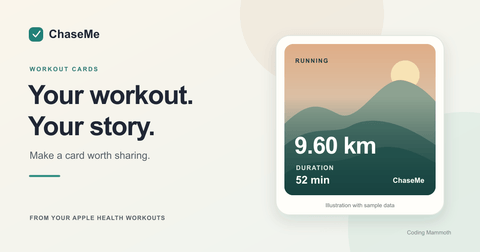
Turn a recorded run, walk or ride into a workout image with stats, an optional route and your own photo, ready to share from your iPhone or iPad.
31 October 2026
A run can be worth sharing without posting a screenshot of your whole fitness dashboard. In ChaseMe, you can turn a workout from Apple Health into a square card with its distance, time and pace, an optional route map and a photo of your own. You preview the result before choosing where to share it.
Start with a recorded workout
Open an activity such as Running in ChaseMe, then scroll to Latest Workouts. Tap a workout to open its details and use the share icon at the top right. With VoiceOver, the action is named Share workout image. This opens Share Preview.
ChaseMe reads distance-based workouts saved in Apple Health. You will need to grant workout access, or you can choose View Demo on the access screen to try the flow with sample data first.
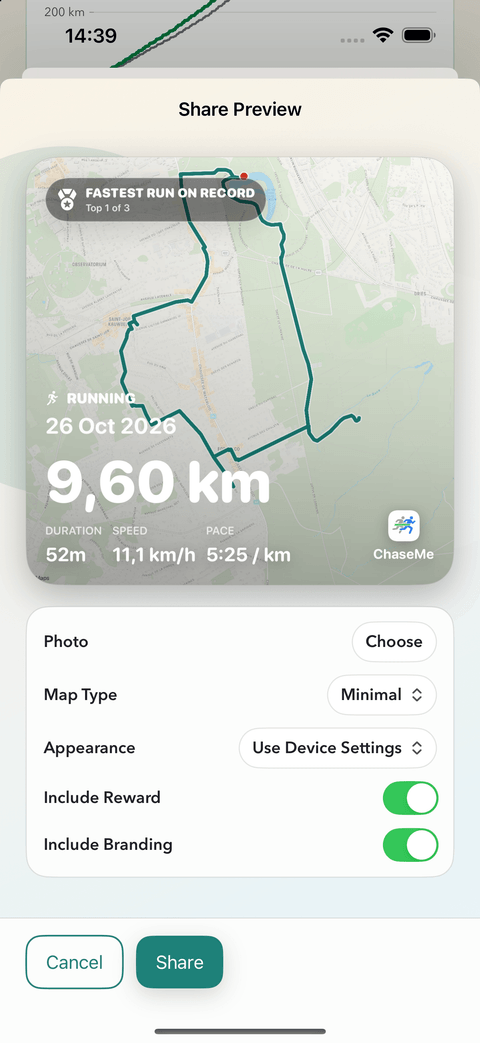
Share Preview with a sample workout. The screenshot uses demo data.
Make the card yours
- Photo: choose an optional picture, for example the view from your ride or a photo from the finish. You can change it while preparing the card.
- Map Type: when a route is available, choose Minimal or Satellite styling.
- Appearance: select Light, Dark or Use Device Settings.
- Include Reward: choose whether to show the achievement when the workout qualifies for one. Removing ChaseMe branding is an option with Pro.
Check the preview after changing a photo, especially where the stats sit over bright areas. ChaseMe 1.6, released on 28 October 2026, improves text readability over photos. Workout-card sharing already existed before that release; this update refines the result.
A real example
Here is a finished ChaseMe card from a real run on 18 October 2026. It brings together the recorded route, a personal photo and the workout's stats: 21.73 km in 2h 13m, at 6:08/km. The achievement badge compares the run with other runs of a similar distance in that workout history.
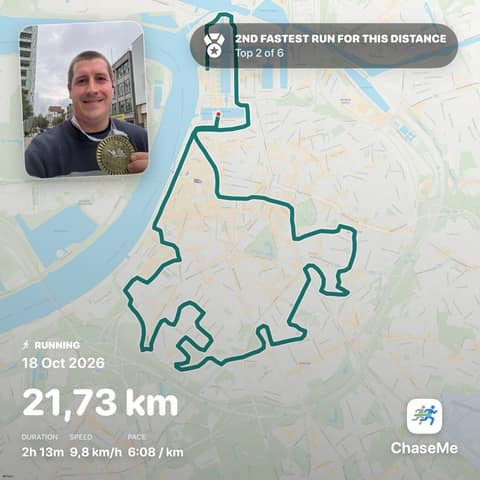
An exported card using real workout data. The Share Preview screenshot earlier in this guide uses demo data.
What if the workout has no route?
A map needs both saved route data for that workout and permission for ChaseMe to read it. Access to the workout's distance and time does not automatically provide a route. Without one, ChaseMe can still create a card focused on your stats, with an optional photo. The map-style control is unavailable in that case.
Preview, then choose where it goes
Tap Share to open the system share sheet. From there, choose an available app or destination, such as a message or saving the image. ChaseMe generates the card and processes the selected photo on your device. It does not upload your workout data or photo to Coding Mammoth servers to make the image.
Before sharing publicly, check what the picture reveals. A route can show where you started or finished, and a photo can include people or places you would prefer to keep private. The recipient or platform you choose will receive the image you share.
Try it with a run, walk or ride
The free version includes Running, Walking and Cycling, core insights, and access to the latest three workouts for each activity. Pro adds other activities and more workout history, as well as the option to remove branding from cards.
Visit the ChaseMe page for current features and plans, or download ChaseMe from the App Store. For the bigger picture behind an individual workout, read how to compare your running distance with the same point last year.