Compare your running distance with last year using Apple Health and ChaseMe
Use your Apple Health workouts to compare the same part of two years, read your progress and explore the distance behind the numbers.
31 October 2026
You have recorded your runs throughout the year. Now you want to answer a simple question: have I run further than I had at this point last year? ChaseMe uses the workouts already stored in Apple Health to show that comparison on your iPhone or iPad. Here is how to read it, using a sample running year.
Compare the same part of each year
In late October, comparing this year's distance with all twelve months of last year leaves two months on only one side of the comparison. ChaseMe instead compares 1 January through today with the same calendar date last year.
| Sample running workouts | Distance |
|---|---|
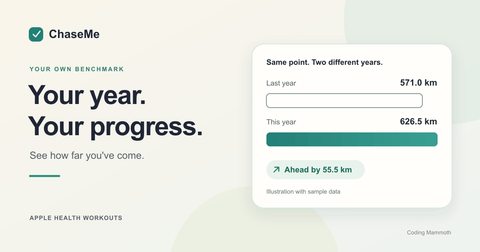
| 1 January to 27 October 2025 | 571.0 km |
| 1 January to 27 October 2026 | 626.5 km |
| Lead over the same period last year | 55.5 km |
That is the example in the screenshot below: Running is Ahead by 55.5 km. Cycling and Walking have their own cards, so extra bike rides do not hide a change in running. Each activity can be Ahead, On Pace or Behind.
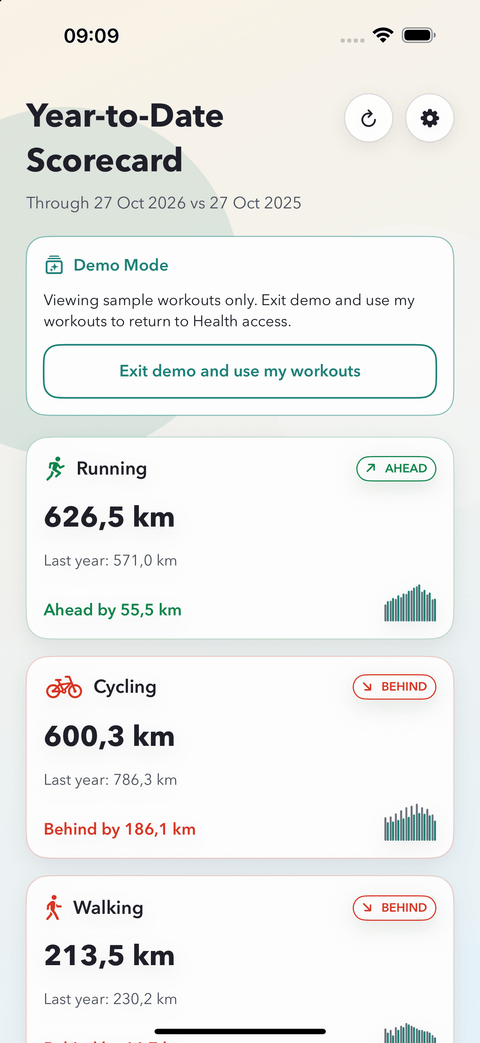
Sample workouts in ChaseMe's demo mode. These are illustrative figures, not a training target.
Find your own comparison
- Open ChaseMe and allow it to read your workouts in Apple Health. You can also choose View Demo to explore sample workouts before granting access.
- On the Year-to-Date Scorecard, find Running. Check this year's distance, last year's equivalent total and the difference.
- Tap Running to open Year-to-Date Totals and the Cumulative Trend. Tap and hold on the graph to inspect exact totals and see where the two years started to diverge.
The compact charts on the scorecard give you a quick view of the pattern before you open an activity. Version 1.6, released on 28 October 2026, makes those comparisons and their status labels easier to read. The core year-to-date comparison was already part of ChaseMe.
Know which distance you are comparing
ChaseMe compares recorded, distance-based workouts. It is not a total of every step or all the walking distance your phone measures during the day. A walk needs to be saved as a workout with a distance to contribute to its activity card. If a run is missing, check that it exists in Apple Health and that ChaseMe has permission to read workouts. Apple's guide explains how apps and devices contribute Health data.
Distance is one part of the story. Look at sessions and time alongside it to understand whether your routine has changed. A partial workout history also gives you a partial comparison, especially if you started recording halfway through last year.
Try it with the workouts you already have
Running, Walking and Cycling, including the core comparison, are available in the free version. ChaseMe Pro adds other distance-based activities and deeper insights. ChaseMe reads your workouts without writing back to Apple Health, and your workout data is not uploaded to Coding Mammoth servers.
Explore the screenshots and plans on the ChaseMe product page, or get ChaseMe on the App Store. Once you have a workout you would like to share, our guide shows how to turn an Apple Health workout into a shareable card.