QuickScale 4
Download on the App StoreResize many pictures in seconds
QuickScale is designed to let you resize many pictures to a desired size and format.
Now, why would you want to do that? For example, if you wish to share your holiday photos with family and friends, you can either send them by e-mail or put them somewhere on a website.
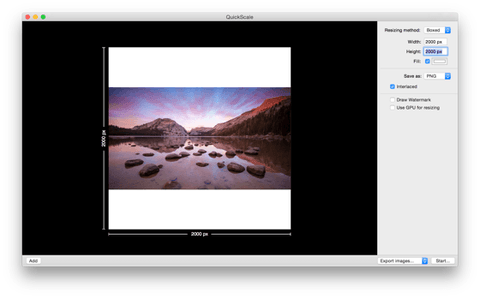
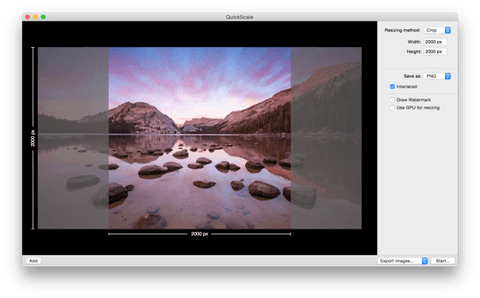
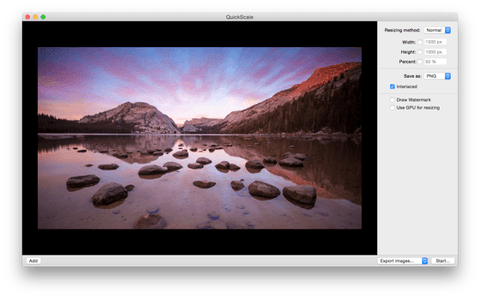
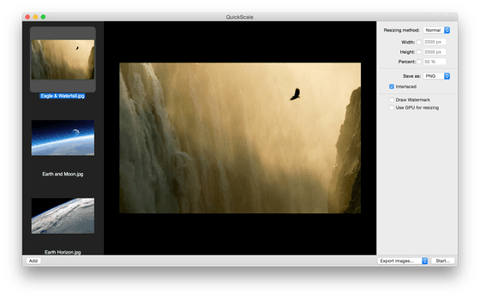
Choose from four scaling methods
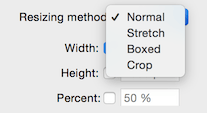
For every job, you might have different requirements... do the images have to fit within a maximum size, or do they have to be stretched to that size? If you want all your images to have the exact same size but you don't want to stretch them, try Crop or Box scaling. QuickScale will show a live preview of the selected method.
How do you want to save the images?
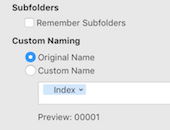
QuickScale allows you to export all images to a new location. You have the option to preserve the subfolders of the source folder, in case you have a hierarchical folder structure. Want to replace the old images with the new images? Simply use the overwrite option. Quick and easy :)
Change the file type
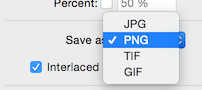
You can also convert images to another file type, such as JPG, PNG, TIFF or GIF. Depending on the selected file type, you can set the quality or transparency.
More features

Scale many pictures
QuickScale is designed to scale a bunch of images at the same time

Fast scaling
QuickScale is optimized for Mac OS X to scale a lot of images quickly and efficiently

Simple and easy interface
With a simple and clean interface, QuickScale shows you its features at a glance

Put watermarks on your photos
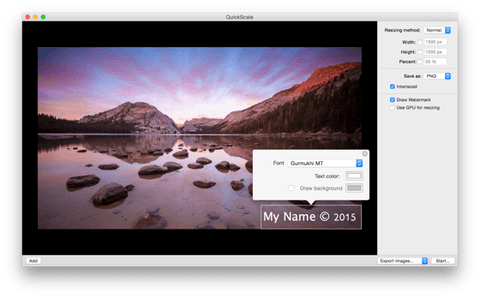
Want to mark your photos? QuickScale can burn a watermark on your images

Different scaling methods
QuickScale has multiple resizing methods, so you can resize your images the way you want

Different file types
QuickScale can export your images to four different file types: JPG, PNG, TIFF and GIF

Automated image naming
Want to give exported images logical names? QuickScale can help.

Presets
Don't waste time with changing settings to different sizes over and over again